เสร็จสิ้น จัดเรียงตาม
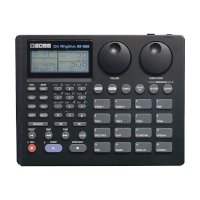
เครื่องดนตรีอื่นๆ Rhythm ริทึ่ม
:
สินค้านำเข้าจากญี่ปุ่น มือสอง สภาพดี ใช้งานได้ปกติ
฿4,500
เปรียบเทียบราคา
(1)
จาก TARAD Plaza
อุปกรณ์ดนตรี
:
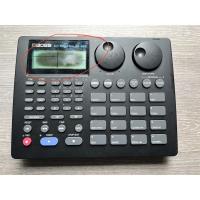
ร้าน chaomusic: สินค้านำเข้าจากญี่ปุ่น มือสอง สภาพดี พร้อมใช้งาน พร้อมอแดปเตอร์ ใช้งานได้ปกติ สินค้ามีตำหนิที่หน้าจอ เริ่มเสื่อม ยังใช้งานได้(ตรงที่วงไว้) made in Japan
฿3,990
 Shopee
จังหวัดนนทบุรี
เครื่องตี
:
ร้าน chaomusic
฿4,300
 LAZADA
ขายเเล้ว 1
ในประเทศ
อุปกรณ์ดนตรี
:
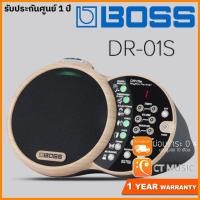
ร้าน CT Music
฿9,900
LAZADA
5.0
(2)
ในประเทศ
ร้านค้าแนะนำ
อุปกรณ์ดนตรี
:
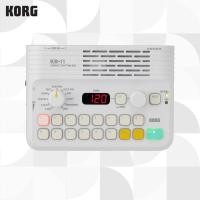
ร้าน Tokyo Melodic TH: ⚠️อะแดปเตอร์แปลงไฟจําหน่ายแยกต่างหาก Korg KR-11 เป็นผลิตภัณฑ์ใหม่ล่าสุดในซีรีส์ Korg Rhythm Box ซึ่งเริ่มต้นจาก Doncamatic กล่องจังหวะเครื่องแรกของญี่ปุ่น! ขนาดกะทัดรัดและใช้งานง่าย ช่วยให้คุณสนุกกับการเล่นดนตรีไปพร้อมกับจังหวะได้ทุกที่ทุกเวลา ·ตัวเครื่องขนาดกะทัดรัดเท่าฝ่ามือ ·ดีไซน์เรียบง่าย: เพียงเลือกประเภท/รูปแบบ แล้วกดปุ่มเล่น ·จังหวะหลากหลายรูปแบบในตัว: 9 ประเภท x 14 รูปแบบ รวมทั้งหมด 126 แบบ ·ประเภทดนตรีที่มีให้เลือก: 8BEAT, 16BEAT, COUNTRY, ISLAND, ROCK, BLUES/R&B, JAZZ/LATIN, EDM, 3/5/7, METRONOME, USER
฿6,951
Shopee
5.0
(1)
เครื่องตี
:
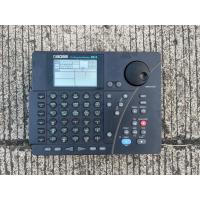
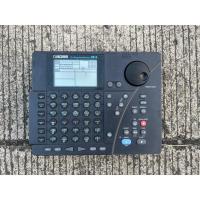
ร้าน chaomusic: สินค้านำเข้าจากญี่ปุ่น มือสอง สภาพดี พร้อมใช้งาน พร้อมอแดปเตอร์ ใช้งานได้ปกติ made in Japan
฿4,300
Shopee
4.5
(2)
จังหวัดนนทบุรี
อุปกรณ์ดนตรี
:
ร้าน CT Music
฿790
LAZADA
5.0
(3)
ขายเเล้ว 2
ในประเทศ
เครื่องตี
:
ร้าน CT Music
฿6,600
LAZADA
ขายเเล้ว 1
ในประเทศ
ร้านค้าแนะนำ
เครื่องตี
:
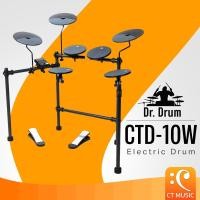
ร้าน CT Music: คำอธิบายการใช้งาน • ปุ่ม KIT: เข้าสู่ชุดเมนู ปิดเครื่อง • ปุ่ม: เปิด/ปิดเครื่องเมโทรนอม • ปุ่ม TEMPO: ปรับจังหวะของเครื่องเมโทรนอม • ปุ่ม -: พารามิเตอร์เพิ่ม/ลด • ปุ่ม +: พารามิเตอร์เพิ่ม/ลด • ปุ่ม DEMO: เข้าสู่เมนูเพลงเดโม่ • สวิตช์ REVERB: เปิดเอฟเฟกต์ • สวิตช์เปิด: เปิดเครื่อง • สวิตช์ปิด: ปิดเครื่อง • ปุ่มปรับระดับเอาต์พุต/หูฟัง: ควบคุมระดับเสียงเอาต์พุตและหูฟัง • แจ็ค DC: ต่ออะแดปเตอร์ 9V • แจ็ค AUXIN (แจ็คสเตอริโอ 3.5): ต่ออุปกรณ์อินพุต เช่น MP3 หรือโทรศัพท์มือถือ • แจ็คหูฟัง (แจ็คสเตอริโอ 3.5): ต่อเข้ากับหูฟัง • USB: ต่อเข้ากับคอมพิวเตอร์เพื่อถ่ายโอนสัญญาณ MIDI • เอาต์พุตโมโน 6.35: ต่อเข้ากับเครื่องขยายเสียง • PDA: ต่อเข้ากับสายกลอง . Panel Description 1. KIT Button: Enter the kit menu Power off 2. Button: Turn on/off Metronome 3. TEMPO Button: Adjust the metronome tempo 4. – Button: Increase/Decrease parameter 5. + Button: Increase/Decrease parameter 6. DEMO Button: Enter demo song menu 7. REVERB Switch: Turn on effect 8. On Switch: Power on 9. OFF Switch: Power off 10. Output/Headphone volume knob: Control the volume of output and headphone 11. DC jack: Connect 9V adapter 12. AUXIN jack ( 3.5 Stereo jack): Connect input device such as MP3 or cellphone 13. Headphone jack ( 3.5 Stereo jack): Connect to headphone 14. USB: Connect to computer to transfer MIDI signal 15. 6.35 Mono output: Connect to Amplifier 16. PDA: Connect with drum cable . Connections 1. Connecting an Audio Equipmen When using an ampliffer, connect the Output L/MONO jack located on the side of the drum Module. Note: The line output volume is controlled by the LINE OUT I . 2. Connecting a set of Headphones phones can be connected to the PHONES jack located on the side of the drum Module. Note: The headphones output volume is controlled by the VOLUME knob. . 3. Connecting a MP3 Player Connect MP3 player or other audio source to the stereo AUX IN jack located on the side of the drum Module. The input signal is mixed with the drum signal, allowing you to play along. . 4. Connecting a Computer the USB Connector, which can receives and transmits MIDI messages to a computer. . 5. Power Supply & Switch Make sure the power is switched OFF. Connect the adaptor to the DC IN jack on the side panel. After confirming that all connections have been completed, rotate the volume knob to the left(minimum volume level) before switching the power on. Press power button to turn on the drum, the digit tube will show kit number 001. . Power on/off Drum kit: Switch the button to ON location, the LCD will show 001 . Drum Kit Selection: There are 20 preset kit, check detail at page 1. Press KIT button 2. Press +/- button to choose the kit you prefer . Metronome 1. Press L button to start metronome.LCD shows 4-4 (this is the initial beat) 2. Press +/-button, choose the beat you prefer. Beat: 1/2~9/2,1/4~9/4,1/8~9/8 3. Metronome tempo: Press TEMPO button, Press+//-button to adjust the tempo (tempo range: 30-200,the default tempo is 100) All settings in metronome mode will be saved upon power off. . Effects Switch the button from On to REVERB, the reverb function is on . Volume control Turn the knob to control the volume of output and headphone (this knob control both output and headphone volume Kick option The inital setting for kick is switch kick, if you want to extend to kick drum pad, please follow below operation: . 1. Press DEMO button for more than 3 seconds till the LCD shows 501 and demo song start playing. 2.Press+ button to change the number on LCD to 502 3.Then press kit button 4.Turn of the module and turn it on, the module can work with kick drum pad. . 501:Kick switch 502:Kick drum pad . DRUM KIT LISTS 1. ROCK1 2. ROCK2 3. POP1 4. POP2 5. VINTAGE 6. FUNK1 7. FUNK2 8. JAZZ 9. BRUSH 10. LATIN1 11. LATIN2 12. HIPHOP 13. METAL 14. PUNK 15. 808 16. ORCH 17. EAST1 18. EAST2 19. PERCUSSION1 20. PERCUSSION2 . Demo Song Lists 1. ROCK1 2. ROCK2 3. POP 1 4. POP 2 5. VINTAGE 6. FUNK1 7. FUNK2 8. JAZZ 9. BRUSH 10. LATIN1 11. LATIN2 12. HIPHOP 13. METAL 14. PUNK 15. 808 16. ORCH 17. EAST1 18. EAST2 19. PERCUSSION1 20. PERCUSSION2
฿7,990
Shopee
5.0
(40)
ขายเเล้ว 1
จังหวัดกรุงเทพมหานคร
ร้านค้าแนะนำ
ลด1%
เครื่องดนตรีอื่นๆ
:
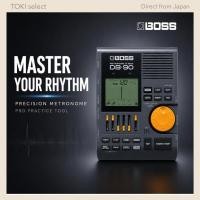
ร้าน TOKIselect.th: country_of_origin: China Thank you for viewing our product! Product Description BOSS DB-90 Dr. Beat Professional rhythm training starts here. ━━━━━━━━━━━━ ❌ BASIC METRONOME NOT ENOUGH? ━━━━━━━━━━━━ Need more rhythm control? Want advanced practice tools? Need more precise timing? Upgrade your training system. ━━━━━━━━━━━━ ✔ ADVANCED RHYTHM TRAINING ━━━━━━━━━━━━ Built for serious practice • Multiple rhythm patterns • Advanced tempo control • Clear large display • Professional training features Improve timing accuracy. ━━━━━━━━━━━━ PERFECT FOR SERIOUS MUSICIANS ━━━━━━━━━━━━ Ideal for: • Guitar practice • Drum training • Band rehearsal • Music school practice • Advanced rhythm study Train with more precision. ━━━━━━━━━━━━ WHY DB-90? ━━━━━━━━━━━━ More than a simple metronome • Professional rhythm functions • Better training flexibility • Designed for long-term improvement Practice at a higher level. ━━━━━━━━━━━━ EASY PRACTICE SETUP ━━━━━━━━━━━━ • Headphone support • Portable design • Simple button operation Ready anywhere. ━━━━━━━━━━━━ BUILD YOUR PRACTICE SYSTEM ━━━━━━━━━━━━ Choose your training level: • Start → MA-2 metronome • Standard → TM-70F combo • Advanced → DB-90 (this product) Upgrade step by step. ━━━━━━━━━━━━ ⚠️ NOTE ━━━━━━━━━━━━ • Accessories sold separately • Read instruction manual before use ━━━━━━━━━━━━ ️ WARRANTY ━━━━━━━━━━━━ Not Provided Shipping & Handling - Items are dispatched from our shop in Japan to Shopee’s official warehouse **within 2 business days (excluding weekends and public holidays).** - Shopee handles final delivery upon arrival. - We ensure each order is packed and sent with care and professionalism. ✒️If you have any questions, please feel free to chat with us!
Shopee
อุปกรณ์ดนตรี
:
ร้าน CT Music
฿690
LAZADA
5.0
(2)
ขายเเล้ว 2
ในประเทศ
ร้านค้าแนะนำ
เครื่องตี
:
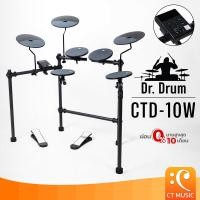
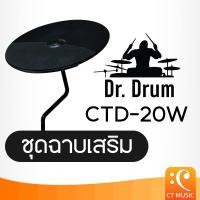
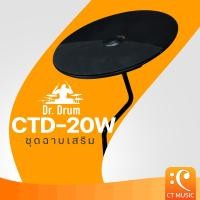
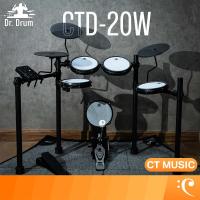
ร้าน CT Music: ✅รับส่วนลด 10% สูงสุด 1,000 บาท ✅รับเงินคืน 15% สูงสุด 1,000 Coin ลูกค้าทุกท่านสามารถกดรับโค้ดลดพิเศษได้จากหน้าแจกโค้ดทุกอาทิตย์ - Dr.Drum CTD-20W Additional cymbal set Dr.Drum CTD-20W Additional cymbal set Dr.Drum CTD-20W Additional cymbal set
฿890
Shopee
5.0
(24)
ขายเเล้ว 5
จังหวัดกรุงเทพมหานคร
อุปกรณ์ดนตรี
:
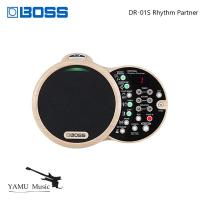
ร้าน Yamu_Music.th: รายละเอียดสินค้า: ● กล่องเพลงจังหวะที่ยอดเยี่ยมและใช้งานง่ายออกแบบมาสำหรับนักดนตรีอะคูสติก ● เต็มไปด้วยร่องเรียบง่ายมีรสนิยมเพื่อรองรับและเพิ่มสไตล์ดนตรีที่ไม่ได้เสียบปลั๊ก ● การออกแบบออล - อิน - วันที่สะดวกพร้อมระบบเสียงในตัวคุณภาพสูง ● อินเทอร์เฟซที่ใช้งานง่ายสำหรับการเลือกประเภทและร่องเครื่องมือปรับระดับเสียงและจังหวะและอื่น ๆ ● ประเภทเครื่องดนตรีเจ็ดประเภทพร้อมกัน ได้แก่ ทุกอย่างตั้งแต่แทมบูรีนเครื่องปั่นและกลองไปจนถึงชุดกลองเต็มรูปแบบเอฟเฟกต์เสียงเมโทรโนมมาตรฐานและเสียงอื่น ๆ อีกมากมาย ● รูปแบบเฉพาะในแต่ละหมวดหมู่ของเครื่องดนตรี พร้อมความสามารถในการเลเยอร์รูปแบบจากทุกหมวดหมู่พร้อมกันแบบเรียลไทม์ ● บันทึกการผสมผสานจังหวะโปรด 50 จังหวะเพื่อการเรียกคืนที่รวดเร็ว ● ควบคุมฟังก์ชั่นต่างๆและเรียกใช้เสียงแฮนด์ฟรีพร้อมสวิตช์เท้าเสริม ● Line out สำหรับเชื่อมต่อกับแอมป์กีตาร์อะคูสติกหรือระบบเสียงขนาดใหญ่ ● อินพุต Aux Aux ช่วยให้ใช้เป็นลำโพงสำหรับสมาร์ทโฟนหรือเครื่องเล่นเสียงอื่น ๆ ● ใช้พลังงานจากแบตเตอรี่ขนาด AA หกก้อนหรืออะแดปเตอร์ AC ที่ให้มา แพ็คเกจรวม: ● Dr-01s ● คู่มือการใช้งานสำหรับเจ้าของคู่มือ ● แผ่นพับใบปลิว ใช้ความปลอดภัยของหน่วย ● อะแดปเตอร์ AC (PSB-1U + ชุดสายไฟ AC)
฿11,436
Shopee
5.0
(3)
ขายเเล้ว 1
อุปกรณ์ดนตรี
:
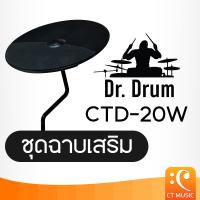
ร้าน ช้อปแสนสุข: Dr.Drum CTD-20W Additional cymbal set Dr.Drum CTD-20W Additional cymbal set Dr.Drum CTD-20W Additional cymbal set
฿1,373
Shopee
จังหวัดนนทบุรี
เครื่องตี
:
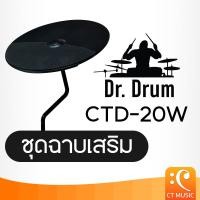
ร้าน Value Hub : Dr.Drum CTD-20W Additional cymbal set Dr.Drum CTD-20W Additional cymbal set Dr.Drum CTD-20W Additional cymbal set
฿1,380
Shopee
จังหวัดนนทบุรี
เครื่องตี
:
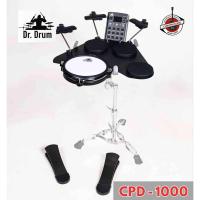
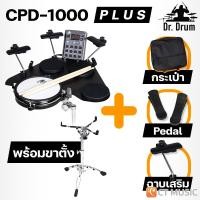
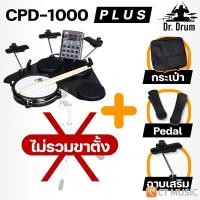
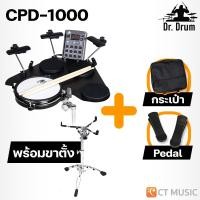
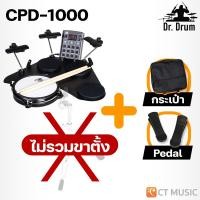
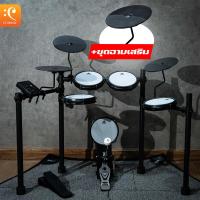
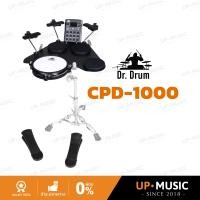
ร้าน Chromosome21 Music-Shop : English Descriptions about Dr.Drum CPD-1000 Portable E-drum below Produxt List 1.Main Pad x 1 2.Cymbal x 3 3.Cymbal Rod x 3 4.Drum Module x 1 5.Pedal x 2 6.Wiring Harness x 1 7.Adaptor x 1 8.Shoulder Bag x 1 9.Drum Key and Screws 10.Drum Sticks 11.User Manual Installation Steps 1.Install Cymbal Stand 2.Adjust the heighth and Tighen the screw 3.Install Cymbal 4.User finger screw to tighten the module holder 5.Install the module on the module holder by finger screw 6.Install the drum cable and lock the drum cable by the finger screw PANEL DESCRIPTION Front Panel 1.Power Button Thins button turns the power on and off 2.Line Out Knob Adjust the Volume of line Output 3.Volume Knob Adjust the Volume of Phone 4.Kit Button Enter the Kit Menu 5.Coach Button Enter the Coach Menu 6.Song Button Enter the Song Menu 7.Voice Button Enter the Voice Menu 8.Tempo Button Adjust the Current tempo 9.Click Button Turn the Metronome on or off and Enter the Click Menu 10.Record Button enter the Record Menu 11.Utility Button Enter the Utility Menu 12.Menu Button In the Voice,Song,Click, Utility mode, Press the Menu Button to enter the Submenu 13.Start/Stop Button Start or Stop Playing 14.+/- Button Press the [+] Button Increases and [-] Button Decreases the Current Parameter 15.Digit Tube Display parameter Display 16.LED Display Indicators for Coach Playing 17.AUX IN Jack (1/8″) This Stereo Input Jack is for an external Sound Source, Such as an MP3 Player 18.Phones Jack (1/8″) This Stereo input Jack is Used to Connect Headphones to the unit 19.Line Output Jack (1/4″) Stereo Output Connection to a computer (MIDI In /Out via USB) 20.USB Connector This port the Included DC 9V Power Adaptor 22.PAD Connectors Input Connections for Kick, Snare, Tom Cymbal Pads and Hi-Hat Control Pedal Connections Connecting an Audio Equipment When using an amplifier, Connect the Output L/MONO Jack Located on the Side of Drum Module Note : The line output volume is controlled by the Line OUT Knob Connecting a Set of Headphones Headphones can be Connectes to th PHONES Jack Located on the Side of the Drum Module Note : The Headphones Output Volume is Controlled by the VOLUME Knob Connecting a MP3 Player Connect MP3 Player or Other Audio Source to th Stereo AUX IN Jack Located on the Side of the Drum Module the input signal is mixed with the drum signal, allowing you to play along Connecting a Computer Via the USB Connector, Which can receives and transmits MIDI Messages to a computer Power Supply&Switch Make sure the power is switched OFF. Connect the Adaptor to the DC IN Jack on Side Panel. After confirming that all connections have been completed, rotate the volume knob to the left (minimum volume level) before switching the power on. press power button to turn frum, the digit tube will show kit nuber 001. *TURN OFF : the drum kit will be turend off. press power button for 2 seconds to turn off the module. Factory Reset Press the [+] and [-] button at the same time and then turn on the power, then the digital drum will complete the factory reset. Performing Selecting a drum Kit After powering up, the digital drum will be in KIT Menu (KIT button’s led ON) 1.Use the [+] and [-] Buttons to select the kit. There are 15 kits in the digital Drum Responds Differently to Various playing techniques and dynamics All the pads are velocity sensitive. and some voices change timbre depending on the striking force. Drum Pad Head The pad detects head. Cymbal Bow Shot The cymbals Detect Bow Shot. Hi-Hat The Hi-Hat Sound varies depending on the position of Hi-Hat pedal Open Hi-Hat : Strike the Hi-Hat pad without pressing the pedal. Closed Hi-Hat : Strike the Hi-Hat pad with the pedal Pressed completely down Pedal Close : Press the pedal Completely down without Striking the pad. Drum Kit List 1.Rock 2.Pop 3.Funk 4.Metal 5.Jass 6.Brush 7.Vintage 8.Latin 9.Dance 10.Concert คำอธิบายภาษาอังกฤษเกี่ยวกับ Dr.Drum CPD-1000 Portable E-drum ด้านล่าง รายการสินค้า 1. แผ่นรองกลองหลัก x 1 2. ฉาบ x 3 3. แกนฉาบ x 3 4. โมดูลกลอง x 1 5. แป้นเหยียบ x 2 6. ชุดสายไฟ x 1 7. อะแดปเตอร์ x 1 8. กระเป๋าสะพายไหล่ x 1 9. กุญแจกลองและสกรู 10. ไม้กลอง 11. คู่มือผู้ใช้ ขั้นตอนการติดตั้ง 1. ติดตั้งขาตั้งฉาบ 2. ปรับความสูงและขันสกรูให้แน่น 3. ติดตั้งฉาบ 4. ใช้สกรูยึดโมดูลเพื่อขันให้แน่น 5. ติดตั้งโมดูลเข้ากับตัวยึดโมดูลด้วยสกรูยึด 6. ติดตั้งสายกลองและล็อคสายกลองด้วยสกรูยึด คำอธิบายแผง แผงด้านหน้า 1. แหล่งจ่ายไฟ ปุ่ม ปุ่ม Thins ใช้เปิดและปิดเครื่อง 2. ปุ่ม Line Out ปรับระดับเสียงของสายสัญญาณออก 3. ปุ่มปรับระดับเสียง ปรับระดับเสียงของโทรศัพท์ 4. ปุ่ม Kit เข้าสู่เมนู Kit 5. ปุ่ม Coach เข้าสู่เมนู Coach 6. ปุ่ม Song เข้าสู่เมนู Song 7. ปุ่ม Voice เข้าสู่เมนู Voice 8. ปุ่ม Tempo ปรับจังหวะปัจจุบัน 9. ปุ่ม Click
฿6,900
Shopee
จังหวัดยะลา
เครื่องตี
:
ร้าน CT Music
฿9,200
LAZADA
5.0
(31)
ขายเเล้ว 8
ในประเทศ
เครื่องตี
:
ร้าน CT Music
฿8,500
LAZADA
5.0
(31)
ขายเเล้ว 1
ในประเทศ
ร้านค้าแนะนำ
![ราคา [ใส่โค้ดลด 1000บ.] Dr.Drum CPD-1000 / CPD-1000 Plus Portable E-drum Electric Drum กลองไฟฟ้า กลองแพ็ดไฟฟ้า DrDrum CPD1000 (27969561047)](https://img.priceza.com/img1/7077/2802/7077-20260814112616-242661658413051806.jpg)
เครื่องตี
:
ร้าน CT Music: ✅รับส่วนลด 10% สูงสุด 1,000 บาท กรอก ✅รับเงินคืน 15% สูงสุด 1,000 Coin กรอก ลูกค้าทุกท่านสามารถกดรับโค้ดลดพิเศษได้จากหน้าแจกโค้ดทุกอาทิตย์ - เท่านั้น Dr.Drum CPD-1000 Portable E-drum Electric Drum กลองไฟฟ้า กลองแพ็ดไฟฟ้า กลอง DrDrum CPD1000 กลองพกพา
฿7,990
Shopee
5.0
(277)
ขายเเล้ว 11-50
จังหวัดกรุงเทพมหานคร
เครื่องตี
:
ร้าน CT Music
฿8,900
LAZADA
5.0
(2)
ขายเเล้ว 3
ในประเทศ
เครื่องตี
:
ร้าน CT Music
฿8,690
LAZADA
5.0
(31)
ขายเเล้ว 1
ในประเทศ
เครื่องตี
:
ร้าน CT Music
฿7,990
LAZADA
5.0
(31)
ขายเเล้ว 1
ในประเทศ
เครื่องตี
:
ร้าน CT Music
฿9,590
LAZADA
5.0
(5)
ขายเเล้ว 4
ในประเทศ
เครื่องตี
:
ร้าน UP MUSIC
฿7,990
LAZADA
5.0
(2)
ขายเเล้ว 1
ในประเทศ

รีวิวล่าสุดจากผู้ใช้
เครื่องดนตรีอื่นๆ

ยังไม่มีรีวิวในหมวดนี้
ร่วมรีวิวยี่ห้อ Rhythm
เครื่องดนตรีอื่นๆ
0 ตัวอักษร
เพิ่มรูปภาพ
