สินค้าที่ใกล้เคียง
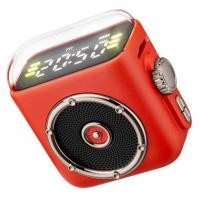
ลด64%
ร้าน pokjew
 LAZADA
ขายเเล้ว 1
ต่างประเทศ

![ราคา Karaoke Portable Wireless Bluetooth Speaker With Microphone Machine Radio FM Caixa De Som Mini Sound Box Music Small Column Mp3 [COD] (1733338523183843306)](https://img.priceza.com/img1/301283/0070/301283-20260109184600-223938712896003192.jpg)


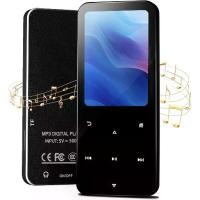
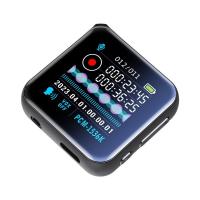
ลด67%
เครื่องเล่นเพลงพกพา
:
ร้าน TECHCHIP
LAZADA
ต่างประเทศ
ลด70%
เครื่องเล่นเพลงพกพา
:
ร้าน QAN STORE
LAZADA
ต่างประเทศ

ลด71%
ร้าน oBdAUm
LAZADA
ขายเเล้ว 1
ต่างประเทศ
ลด70%
เครื่องเล่นเพลงพกพา
:
ร้าน yosicil3
LAZADA
ต่างประเทศ
ลด31%
เครื่องเล่นเพลงพกพา
:
ร้าน njz511
LAZADA
ต่างประเทศ
ร้านค้าทางการ

ลด42%
เครื่องเล่นเพลงพกพา
:
ร้าน UEB Official Store ใน LazMall
LAZADA
4.5
(8)
ขายเเล้ว 2
ต่างประเทศ
ลด67%
เครื่องเล่นเพลงพกพา
:
ร้าน TECHCHIP
LAZADA
ต่างประเทศ
เครื่องเล่นเพลงพกพา
:
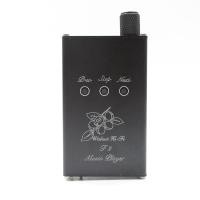
ร้าน FENGRU Audio Store: Part 1: Each button interface function Potentiometer knob: volume adjustment. PREV: Previous song, long press to decrease the volume. The amp mode does not apply. STOP: Pause/play. NEXT: Next song, long press to increase the volume. The amp mode does not apply. LINE OUT: As the line output interface in player mode or sound card mode, you can connect the front stage or the amp. In the amp mode, it is used as the input interface of the amp. POWER OUT: 3.5mm headphone output connector. BALANCE OUT: 2.5mm balanced output interface, AK connection, compatible with all 2.5mm balanced headphones. Data interface: Connected to a computer or mobile phone through a USB data cable, as the data interface of the sound card, not rechargeable. Charging port: standard Android charging port, input DC 5V (1A). Data cannot be transferred. DAC power indicator: The player mode flashes and the sound card mode is on. Total power indicator: Lights up after power on. Charging indicator: Red light when charging, automatically turn green when fully charged. TF card slot: Walnut F2 itself has no memory, requires a memory card to store songs, and supports up to 64g (the memory card is a TF card, that is, a small card for mobile phones). Part II: Walnut F2 Operating Instructions 1. Sound card mode: When using the sound card mode, first turn on the main power switch. At this time, the power indicator light is on, turn off the DAC power supply, and connect the data interface of the walnut F2 to the mobile phone or computer with the USB data cable. After the connection is successful, the DAC indicator lights up, and the connection is successful. At this time, press and hold the PREV and NEXT buttons to control the playback volume. Some mobile phones or computers short press to support the song switching, and the volume is adjusted by the knob. (The format of songs played on your computer or mobile phone is not limited) 2. Amp mode: When using the amp mode, first turn on the main power switch, then the power indicator light is on, turn off the DAC power. Use the LINE OUT connector and sound source of the Walnut F2 to the recording line. At this time, the 3.5mm and 2.5mm earphone jacks can be connected to the headphones for listening, and the volume is adjusted by the knob. (The format of the song played by the source is not limited) 3. Player mode: When using the player mode, first insert the memory card to turn on the main power and DAC power. At this time, the power indicator light is on and the DAC power indicator is blinking, indicating that playback starts. At this time, the 3.5mm and 2.5mm earphone jacks can be connected to the headphones for listening. Three buttons control playback and the volume is controlled by the knob. (The songs in the memory card only support lossless WAV format and MP3 format) Part III: Song format selection Player mode supports both WAV and MP3 formats Note that output bit selects 16bit, conversion sampling frequency selects 44.1k and then starts conversion Part IV: Op amp replacement Walnut F2 adopts replaceable op amp design. For the lifting thrust, five op amps are used, OPA2604 is responsible for voltage amplification, and four JRC4580s are responsible for current amplification. OPA2604 uses plug-in chip holders, users can replace them themselves, pay attention to replacing op amps only for fever players. Need to have some electronic common sense, the damage caused by the replacement of the op amp is not covered by the warranty. Please turn off all power when replacing, especially pay attention to the direction of the op amp will inevitably burn, the op amp chip has a gap or laser marking dot. Pay attention to the direction during installation and turn on the power after confirming the error. The fifth part: the parameters of the original sound player Audio interface: standard 3.5mm headphone jack, 2.5mm balanced headphone jack Battery capacity: 1500mah Play time: 10 hours (depending on the volume) Supported formats: WAV (recommended format), MP3 Signal to noise ratio: 92db Output impedance: 15-300 ohms Op amp chip: OPA2604*1, JRC4580*4 Maximum memory card capacity: 64GB Storage medium: TF card Charging voltage: 5V Sound style: Focus on vocals, sweeter. Random accessories: one charging cable, one for the recording line, and one for the mobile phone.
฿1,485
 Shopee
4.7
(16)
จังหวัดสมุทรปราการ
ลด67%
เครื่องเล่นเพลงพกพา
:
ร้าน The CeilingShop6fhdf2
LAZADA
ขายเเล้ว 1
ต่างประเทศ
เครื่องเล่นเพลงพกพา
:
ร้าน ZaEjgncD
฿539
LAZADA
ในประเทศ
เครื่องเล่นเพลงพกพา
:
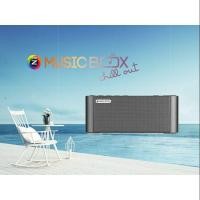
ร้าน herebo: GMMz เครื่องเล่นเพลงพกพารุ่น Music Box Chill Out - บทเพลงสไตล์บอสซาโนว่า อะคูสติก และอื่นๆอีกมากมาย - แถมฟรี 1,000 เพลงฮิตลิขสิทธิ์แท้จาก GMM Gammry - ใข้งานง่าย ค้นหาเพลงด้วยปุ่มตัวเลข สำหรับคีย์รหัสเพลง - สามารถเล่นเพลงผ่าน TF Card และ USB ได้ - เชื่อมต่อง่ายด้วย Bluetooth เพื่อฟังเพลงผ่านสมาร์ทโฟน - ใช้ได้กับสมาร์ทโฟน ทั้งระบบ Android และ iOS - มาพร้อมพลังเสียง Amplifier จากลำโพง 2 ทิศทาง - พกพาสะดวก ใช้งานได้ทุกที่ทุกเวลา
฿550
Shopee
5.0
(1)
จังหวัดกรุงเทพมหานคร

ร้านค้าทางการ
ลด43%
ร้าน Andoer ใน LazMall
LAZADA
5.0
(3)
ขายเเล้ว 4
ต่างประเทศ

ลด31%
 TikTok Shop
ลด68%
ร้าน aQonXK
LAZADA
ขายเเล้ว 2
ต่างประเทศ
ลด65%
ร้าน RUSHUN
LAZADA
ขายเเล้ว 1
ต่างประเทศ
ลด35%
TikTok Shop
ลด47%
ร้าน RUSHUN
LAZADA
ขายเเล้ว 1
ต่างประเทศ
