เสร็จสิ้น จัดเรียงตาม
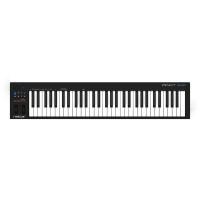
คีย์บอร์ด เปียโน
:
ร้าน Music Arms
฿7,500
 LAZADA
ในประเทศ
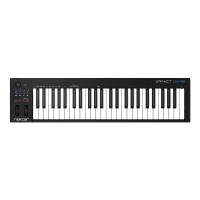
คีย์บอร์ด เปียโน
:
ร้าน Music Arms
฿5,500
LAZADA
ในประเทศ
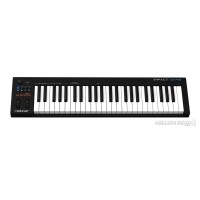
คีย์บอร์ด เปียโน
:
49-key USB Keyboard Controller with Transport Controls, 7 Assignable Buttons, Pitch Bend, Mod Wheel, and Pre-mapped DAW Configurations for Bitwig Studio, Cubase, Digital Performer, Garageband, Logic Pro, Nuendo, Reason, SONAR, Studio One, FL Studio, and Reaper - Mac/PC/iOS Regardless of what DAW software you use to make music, the Nektar Impact GX49 is a smart keyboard controller for your desktop. A dedicated set of controls for transport and navigating tracks allows you to stay in your creati
฿5,500
 Millionhead Pro-Audio
ร้านค้าแนะนำ
คีย์บอร์ด เปียโน
:
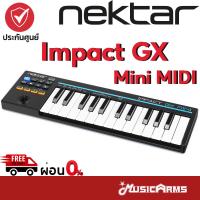
ร้าน musicarms: ✅ลดทันที 10% สูงสุด 2,000 บาท ✅รับเงินคืน 15% สูงสุด 1000 coins โค้ดมีแจกทุกวัน เก็บเลยที่หน้ากิจกรรม ✅จัดส่งสินค้าทุกวัน การจัดส่ง Standard Delivery ✅กทม. ส่งGrabทันที เก็บค่าส่งปลายทาง เลือกการจัดส่ง Seller Own Fleet (ทัก Inbox แจ้งแอดมินได้เลยครับ) Nektar Impact GX Mini คีย์บอร์ด MIDI 25 คีย์ที่ทรงพลังและยืดหยุ่นอย่างยิ่งพร้อมการผสานรวมและการควบคุม DAW ที่ราบรื่น ด้วยพลังของคอนโทรลเลอร์ MIDI Impact GX ที่ได้รับคำชมเชยจาก Nektar ทำให้ GX Mini เป็นแบบพกพาและพร้อมใช้งาน พร้อมความไวของเส้นโค้งความเร็วที่สลับได้สามแบบเพื่อปรับแต่งตามสไตล์การเล่นของคุณ จอยสติ๊กสำหรับการควบคุมการมอดูเลต และแม้แต่การรวม Nektar DAW เพื่อควบคุม DAW ยอดนิยม GX Mini เป็นตัวเลือกที่ดีที่สุดสำหรับโปรดิวเซอร์และผู้แต่งเพลงสมัยใหม่ คอนโทรลเลอร์คีย์บอร์ด USB ขนาดเล็ก 25 มินิคีย์ที่ไวต่อความเร็ว เลือกเส้นโค้งความเร็วได้ 3 แบบ จอยสติ๊กสำหรับ Pitch Bend และตัวควบคุมการมอดูเลต 2 ตัว (กำหนดได้ผ่าน MIDI) แจ็ค 3.5 มม. สำหรับสวิตช์เท้า (รวมอะแดปเตอร์เข้ากับแจ็ค 6.3 มม.) ปุ่มขึ้น/ลงอ็อกเทฟเรืองแสงและปุ่มขึ้น/ลง “ส่วนที่ 2” ปุ่ม Shift เปิดใช้งานระดับที่สองสำหรับฟังก์ชันปุ่มที่สามารถเข้าถึงได้ทั้งหมด 14 ฟังก์ชัน จ่ายไฟผ่าน USB ตัวเชื่อมต่อ: 1x รองรับและ USB 7 ปุ่ม transport ฟังก์ชั่น transport : เล่น หยุด บันทึก ย้อนกลับ และกรอไปข้างหน้า ฟังก์ชัน transport ขั้นสูง: คลิกเปิด/ปิด ไปที่ตัวระบุตำแหน่ง และเลิกทำ DAW ปริมาณแทร็ก/เลือกแทร็ก Plug and Play เข้ากันได้กับ Windows Vista, 7, 8, 10, MAC OSX 10.7 หรือสูงกว่า, Linux Ubuntu 14.04 รองรับ iOS ร่วมกับ Apple Camera Connection Kit (ไม่รวม) ขนาด : 390 x 115 x 32 มม. น้ำหนัก : 0.5 กก. รวม ซอฟต์แวร์ Bitwig 8-Track (ดาวน์โหลด) Performance-based keys The GX Mini lets you play unhindered, with a newly developed velocity-sensitive 25 mini keybed, you can perform with complete expression that will translate to realistic and emotive recordings. To add an extra dimension of expression and dynamic within your playing, GX Mini, MIDI Controller contains three velocity curves to customise the performance of the velocity-sensitive keys to your style. Flexible bending Control pitch bend, modulation and other real-time MIDI messages with the included joystick. Across the horizontal axis, you can affect the pitch of your notes and the vertical axis is used to increase or decrease the pre-assigned modulation and foot controller settings. When operating in the vertical axis, you can also assign MIDI CC messages, meaning you can use this for DAW automation when integrated with your system to change the state of effects such as the filter frequency on an EQ or the decay time of your reverb. The joystick offers far more than what is conventionally achievable with a modulation wheel, making it the ideal solution for creative mixing engineers and producers. Take control of your performance Give your mouse a break and take control over your performance with everything at your fingertips. Featuring eight dedicated buttons for integration with your DAW, you can control your entire performance onboard without ever needing to touch additional equipment. Where some might see the 25 keys as a limitation, the GX Mini, MIDI Controller has a clever set of features that gives you much more control than traditionally possibly with keyboards of this size. The “Part 2” button lets you momentarily shift the octave up or down, transpose or layer another octave on top, giving you the means to perform your music uninterrupted! Expertly designed, when you hit this button during a performance, GX Mini will keep playing the last notes that were played in the original settings, letting you play low bass notes and shift up an octave to solo over the top. The eight dedicated controller buttons are also MIDI-assignable and with the “Part 2” button, you can switch to another MIDI channel on the fly. When you lift off the “Part 2” button, the Impact GX Mini reverts back to its original settings. #NektarImpactGXMini #Nektar #ImpactGXMini #Nektar #คีย์บอร์ดมีดี้ #คีย์บอร์ดใบ้
฿3,429
 Shopee
จังหวัดกรุงเทพมหานคร
อุปกรณ์ดนตรี
:
ร้าน CT Music
฿7,500
LAZADA
ในประเทศ
คีย์บอร์ด เปียโน
:
ร้าน Music Arms
฿18,000
LAZADA
ในประเทศ
คีย์บอร์ด เปียโน
:
ร้าน Music Arms
฿12,000
LAZADA
ในประเทศ
คีย์บอร์ด เปียโน
:
ร้าน Music Arms
฿8,900
LAZADA
ในประเทศ
อุปกรณ์ดนตรี
:
ร้าน CT Music
฿12,000
LAZADA
ในประเทศ
ร้านค้าแนะนำ
คีย์บอร์ด เปียโน
:
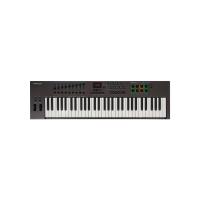
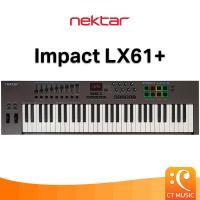
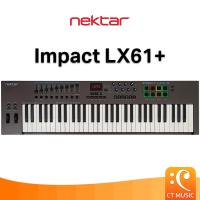
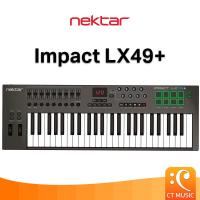
ร้าน CT Music: ✅รับส่วนลด 10% สูงสุด 1,000 บาท กรอกโค้ด DDX10CT23 ✅รับเงินคืน 15% สูงสุด 1,000 Coin กรอกโค้ด CCB15SEPW5 วันนี้ - 29 ก.ย. 2025CONTROL CENTER Nine 30mm faders, 9 MIDI buttons and 8 encoders are at the center of Impact LX+’s control panel. Each control is fully programmable to send any MIDI CC message for use with hardware or software MIDI products. Used with Nektar DAW integration, the controls take on a life of their own, providing flexible pre-mapped DAW control giving you the best of both worlds. Control settings can be stored in any of the 5 Impact LX+ presets for recall at any time. And if you switch Null on, any parameter values are stored when you change presets so you avoid parameter jumping. PADS For groove and beat creation, Impact LX’+s 8 velocity sensitive pads make life easy. Calibrated to trigger at a light touch, finger drumming is suddenly well within reach with a nice and even velocity response. Each pad can be assigned any MIDI note number or MIDI cc message for use as MIDI trigger or toggle buttons. But the best part is the “Pad Learn“ feature, which allows you to just select a pad, play the note or drum sound you want on the keyboard and assignment is done. No complex menus for a task that’s essential to getting the most out of your pads. Assignments are stored over power cycling so you don’t lose your settings when you switch your system off for the night. In addition, 4 pad map locations can store your settings for future recall. The 4 color LED illumination not only looks good but also indicate which pad map is currently loaded and can even tell you which type of MIDI message each pad sends. With Nektar DAW Integration, the pads are automatically mapped in for example Reason and Bitwig.. The two Clips and Scenes buttons are used in Bitwig to trigger…., Clips and Scenes. In Reason, a clever control of Reason’s location points create a similar experience with scenes triggering of any Reason song. NEKTAR DAW INTEGRATION Impact LX49+ and LX61+ software integration supports most of the popular DAWs. A common workflow gives access to many of the functions you are most likely to need when recording and performing with your Impact LX+. The best part is that it’s all done for you: Simply complete the installation process and start making music! Impact LX+ DAW integration currently supports Cubase, Digital Performer, FL Studio, Garageband, Logic, Nuendo, Reaper, Reason, Sonar and Studio One. Buttons and controls are labeled so you don’t have to remember how they are assigned. That’s why Impact LX+ is a breeze to use but with enough extra features under the hood to challenge even the most experienced power user. TRANSPORT & NAVIGATION The 6 dedicated transport buttons are always within reach and mapped to control Cycle, Rewind, Forward, Stop, Play and Record. Press Shift to get access to alternate functions such as Goto L, Set L, Set R, Undo, Click and Mode. Dedicated Track up/down and Patch up/down buttons are located below the display. MIXER CONTROL Press mixer and the first 8 Impact LX+ faders are assigned to control 8 channels of your DAWs mixer. The alternate Bank up/down function moves control assignments to the next or previous group of 8 channels. The 9th fader is assigned to the currently selected channel so you always know where to find it. The buttons under the faders follow the channel assignment of their corresponding fader and can control Mute or Solo. Pan for the group of 8 channels controlled by the faders is handled by the 8 pots. Fader 9 is used for control volume of the current mixer channel as well as master volume. To help you get the best out of your screen real estate, Impact LX also has shortcuts for opening and closing your DAWs mixer window so you can see what’s going on. Keyboard 49 note (61 on LX61+) velocity-sensitive synth-action keyboard 4 velocity curves + 3 fixed Pitch bend & Modulation wheels Octave shift buttons Transpose shift buttons Controls 8 potentiometers 9 30mm faders 9 assignable buttons 6 dedicated transport buttons 5 preset locations store control settings Page button (for Nektar DAW Integration only) Nektar DAW Integration for major DAWs Pads 8 velocity sensitive pads Each pad LED illuminated with 4 color options: Green, Yellow, Orange and Red 4 velocity curves plus 3 fixed Note-learn Pads assignable notes and MIDI cc messages Load or Save to any of 4 pad maps Clips and Scenes LED buttons Connections 1/4” TS jack foot switch input (MIDI Assignable) USB port on rear panel, and USB bus powered Connects to iPad via Apple Camera Connection Kit (not supplied) Weight & Dimensions Impact LX49+: Dimensions: 31 5/8″(L) x 10 1/2″(D) 3 “(H) Weight: 7 Lbs Impact LX61+: Dimensions: 38″(L) x 10 1/2″(D) 3 “(H) Weight: 9 Lbs System Requirements USB Class compliant, no driver is needed for: Apple iOS, Apple OSX, Windows XP, or higher, Linux (MIDI driver software required) Nektar DAW Integration Mac OS X 10.7 or higher, Windows Vista, 7 & 8 or higher
฿17,143
Shopee
จังหวัดกรุงเทพมหานคร
อุปกรณ์ดนตรี
:
ร้าน CT Music
฿9,000
LAZADA
ในประเทศ
ลด31%
อุปกรณ์ดนตรี
:
ร้าน Millionhead Pro-Audio
LAZADA
ในประเทศ
ร้านค้าแนะนำ

คีย์บอร์ด เปียโน
:
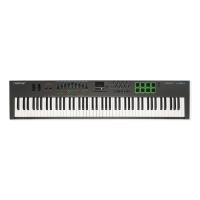
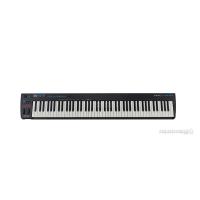
ร้าน CT Music: ✅รับส่วนลด 10% สูงสุด 1,000 บาท กรอก ✅รับเงินคืน 15% สูงสุด 1,000 Coin กรอก ลูกค้าทุกท่านสามารถกดรับโค้ดลดพิเศษได้จากหน้าแจกโค้ดทุกอาทิตย์ - เท่านั้น ⛱ ‘HWVUDTX’ ลด 15% สูงสุด 200.- เมื่อช้อปครบ 400.- ⛱ ‘BPWGJ6G’ ลด 15% สูงสุด 150.- เมื่อช้อปครบ 100.- ⛱ ‘NN6WKT’ ลด 15% สูงสุด 50.- เมื่อช้อปครบ 1.- วันที่ 3 - 5 มี.ค. 67 เท่านั้น! The 88-key Impact MIDI Controller The Impact LX88+ is a unique USB MIDI controller keyboard designed for keyboard players looking for extra reach. It’s jam-packed with intelligent, expressive performance control and hooks up automatically to your DAW! If you prefer to control MIDI hardware, use the build-in MIDI Out as well as the extensive MIDI programing options. Impact LX88+ does it all, and more. Nektar DAW Integration custom designed for most of the popular DAWs, takes Impact LX88+ way beyond functionality normally offered by a MIDI controller keyboard. With Impact LX88+ the hard work is done, so you can focus on your creativity. Keyboard 88 note, velocity-sensitive semi-weighted keyboard 4 velocity curves + 3 fixed Pitch bend & Modulation wheels Transpose shift buttons Controls 8 potentiometers 9 30mm faders 9 assignable buttons 6 dedicated transport buttons 5 preset locations store control settings Page button (for Nektar DAW Integration only) Nektar DAW Integration for major DAWs Pads 8 velocity sensitive pads Each pad LED illuminated with 4 color options: Green, Yellow, Orange and Red 4 velocity curves plus 3 fixed Note-learn Pads assignable notes and MIDI cc messages Load or Save to any of 4 pad maps Clips and Scenes LED buttons Connections 1/4” TS jack foot switch input (MIDI Assignable) MIDI Out (can be routed from LX88 or from DAW) USB port on rear panel, and USB bus powered Connects to iPad via Apple Camera Connection Kit (not supplied) Power supply socket (PSU optional) 9v 600mA, center positive, 2.1mm barrel connector Weight & Dimensions Dimensions: 50.25″ (L) x 11″ (W) x 3.5″ (H) Weight: 18 Lbs System Requirements USB Class compliant, no driver is needed for: Apple iOS, Apple OSX, Windows XP, or higher, Linux (MIDI driver software required) Nektar DAW Integration Mac OS X 10.7 or higher Windows Vista, 7 & 8 or higher
฿25,714
Shopee
จังหวัดกรุงเทพมหานคร
ร้านค้าแนะนำ
คีย์บอร์ด เปียโน
:
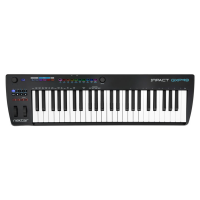
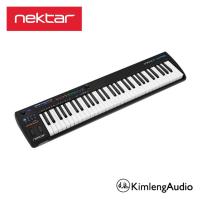
ร้าน Kimleng Audio: Advanced Semi-weighted 61-note Controller Keyboard MIDI-based musicians — are you ready to expand your performance horizons? Sweetwater is excited to introduce the Nektar Impact GXP61. Nektar has created a new instrument category here: an advanced 61-note MIDI controller with full-sized, semi-weighted velocity- and aftertouch-sensing keys and everything else you need in a serious studio or stage controller keyboard. The Impact GXP61 ticks all the boxes — proper pitch and mod wheels; dual-footswitch and expression pedal jacks; selectable velocity curves; 14 RGB LED buttons; 5-pin MIDI out; USB bus power; and more. Aftertouch for expressive performances Not every keyboardist needs or wants piano-weighted keys. The Impact GXP61’s newly designed and carefully balanced semi-weighted keyboard action feels great for playing virtual drums, synths, and orchestral instruments as well as piano. And it’s got aftertouch — a rare commodity in this price range — which allows you to lean into your notes for tasty vibrato, filter sweeps, or whatever you have it assigned to. And all this advanced functionality is packed into a sleek, compact, gig-ready lightweight chassis that looks fantastic in your studio or stage rig. Advanced DAW integration that just works The Impact GXP61’s streamlined control panel is based on Nektar’s successful Impact GX series, and in keeping with Nektar’s advanced DAW integration philosophy, it offers extended transport control, track selection, and volume control as well as options to open and close DAW windows and navigate songs. For those who have never used a Nektar controller, the best news is that this is all automatic. You simply download and install the free DAW Integration file for your DAW and voilà — everything just works! Assignable illuminated RGB buttons What’s more, GXP61’s user interface also has 14 assignable illuminated RGB buttons for direct MIDI program- and bank-selection. Nektar’s new Key Repeat engine adds an intuitive real-time tool for spicing your music with inspired rhythmic patterns. You can control the Repeat feature directly from the GXP61’s illuminated RGB buttons. Once Repeat mode is engaged, the buttons allow for direct selection of Repeat Rates, Accent, Interval, Swing, and routing aftertouch or modulation to velocity. While Repeat is active, the second encoder becomes a dedicated tempo control, unless you’ve set synchronization to external MIDI clock. Advanced control of your plug-in instruments Nektarine is a VST, VST3, AU, and AAX plug-in that allows advanced Nektar control of your plug-in instruments from Nektar’s flagship Panorama controllers and the Impact GXP61. Nektarine gives the GXP61 powerful master keyboard functionality, with 16 slots for up to 16 VST or AU instrument plug-ins available for simultaneous use. The GXP61 brings instant patch recall to hybrid or entirely software-based keyboard setups with direct patch control from GXP61’s RBG patch buttons and the ability to define keyboard zones, layers, and splits for all hosted plug-ins. You can save your plug-in settings and combinations in a single Multi-patch for recall at the touch of a button. GXP61 works with any MIDI software on macOS, Windows, and iOS and can also be used as a standard MIDI controller for legacy MIDI gear right out of the box. Nektar Impact GXP61 Keyboard Controller Product Features: 61-note full-sized keybed with velocity and aftertouch 4 velocity curves + 3 fixed settings 14 RGB LED buttons for MIDI, note repeat, and Nektarine features Pitch Bend and Modulation wheels Push-push encoder for note repeat tempo control and Nektarine features Octave up/down buttons with LED indicators Transpose up/down buttons with LED indicators; assignable to other functions 7 transport buttons for advanced Nektar DAW integration (MIDI assignable) Shift button activate transport buttons secondary level for a total of 14 accessible buttons 5-pin MIDI Output jack 1/4-inch TRS jack for connection of 2 footswitches 1/4-inch TRS expression pedal jack 1 MIDI-assignable potentiometer Note Repeat button with LED tempo indicator Note Repeat Function button Nektarine plug-in control software included (downloadable) Cubase LE and Retrologue included Nektar DAW Integration for Impact GXP88 currently supports Bitwig, Cubase, Digital Performer, Logic, GarageBand, Nuendo, Reaper, Reason, Sonar, Studio One USB port; USB bus powered 9V DC power socket for optional PSU
฿17,143
Shopee
จังหวัดสมุทรปราการ
ร้านค้าแนะนำ
อุปกรณ์ดนตรี
:
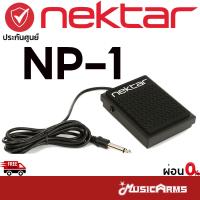
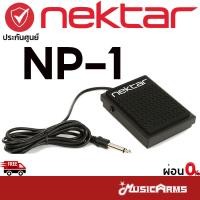
ร้าน musicarms: ✅ลดทันที 10% สูงสุด 2,000 บาท ✅รับเงินคืน 15% สูงสุด 1000 coins โค้ดมีแจกทุกวัน เก็บเลยที่หน้ากิจกรรม ✅จัดส่งสินค้าทุกวัน การจัดส่ง Standard Delivery ✅กทม. ส่งGrabทันที เก็บค่าส่งปลายทาง เลือกการจัดส่ง Seller Own Fleet (ทัก Inbox แจ้งแอดมินได้เลยครับ) A High-performance Footswitch at a Budget-conscious Price! The solid, rugged Nektar NP-1 universal footswitch pedal is ready to withstand your worst abuse: kick it, jump on it, or toss it around – it can take it. Don’t worry about compatibility; the NP-1’s polarity switch ensures that it will get along nicely with all of your synths, keyboards, and digital pianos. On top of that, rubber gripping keeps your pedal in place, while a 6 foot cable keeps your pedal where you want it. If you’re looking for a great universal footswitch pedal at a budget-conscious price, check out the Nektar NP-1. Is your keyboard rig frustrating you? Sweetwater Sales Engineers receive ongoing training on nearly everything we sell. Give us a call, we’ll be glad to help! Solid, rugged design is perfect for home, studio, and stage Polarity switch ensures compatibility with most any keyboard or digital piano A 6′ cable with 1/4″ TS jack lets you to place your pedal where you want it Rubber gripping holds the pedal in place #NektarNP-1 #Nektar #NP-1 #NektarNP1 #NP1 #ฟุตสวิตซ์ #แพดเดิ้ลคีย์บอร์ด
฿1,286
Shopee
จังหวัดกรุงเทพมหานคร
อุปกรณ์ดนตรี
:
ร้าน Music Arms
฿900
LAZADA
ในประเทศ
อุปกรณ์ดนตรี
:
ร้าน CT Music
฿4,680
LAZADA
4.8
(6)
ขายเเล้ว 1
ในประเทศ
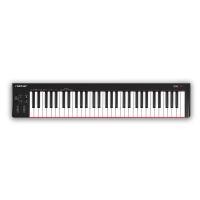
อุปกรณ์ดนตรี
:
ร้าน CT Music
฿5,880
LAZADA
4.8
(6)
ขายเเล้ว 1
ในประเทศ
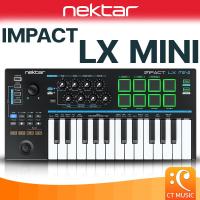
คีย์บอร์ด เปียโน
:
ร้าน CT Music
฿5,200
LAZADA
ในประเทศ
ร้านค้าแนะนำ
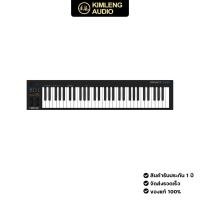
คีย์บอร์ด เปียโน
:
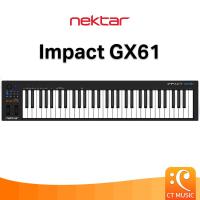
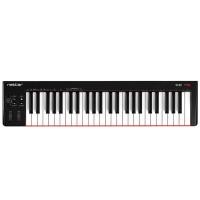
ร้าน Kimleng Audio: Compact. Powerful. Control. Nektar products are synonymous with DAW integration on Mac and Windows and the Impact GX49 & GX61 are no exception. The compact design is comfortable in front of a computer and delivers powerful functionality not even found on more comprehensive controllers. When inspiration strikes, the Impact GX 49 & 61 delivers the control needed to capture ideas while they are fresh. Compact. Powerful. Control. SPECIFICATIONS Keyboard 49-or 61 note full-sized velocity sensitive keyboard 4 velocity curves + 3 fixed Controls Octave up/down buttons with LED indicators Transpose up/down buttons with LED indicators (assignable to send Global MIDI Channel or Program) 7 x Transport buttons with secondary level for 14 MIDI controls. Pitch bend wheel Modulation wheel (MIDI assignable ) Potentiometer / control knob (MIDI assignable) Power on/off switch (back) Connections 1/4” TS jack foot switch input (MIDI Assignable) USB port on rear panel, and USB bus powered Connects to iPad via Apple Camera Connection Kit (not supplied) System Requirements USB Class compliant, no driver is needed for: Apple iOS, Apple OSX, Windows XP, or higher, Linux (MIDI driver software required) Nektar DAW Integration Mac OS X 10.7 or higher, Windows Vista, 7 & 8 or higher Weight & Dimensions Impact GX49: Dimensions: 31 5/8(L) x 7 3/4(D) 2 3/4 (H) Weight: 4.8 Lbs Impact GX61: Dimensions: 38(L) x 7 3/4(D) 2 3/4(H) Weight: 6 Lbs
฿10,714
Shopee
จังหวัดสมุทรปราการ
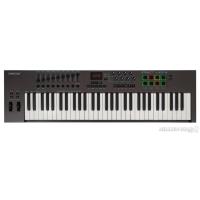
อุปกรณ์ดนตรี
:
ร้าน Millionhead Pro-Audio
฿12,000
LAZADA
5.0
(1)
ในประเทศ
ร้านค้าแนะนำ
![ราคา [จัดส่งด่วน] Nektar Impact LX49+ 49-key USB-MIDI Keyboard Controller #ผ่อน0% #จัดส่งฟรี (5444441496)](https://img.priceza.com/img2/7077/1989/7077-20260703113627-244499837080669368.jpg)
[จัดส่งด่วน] Nektar Impact LX49+ 49-key USB-MIDI Keyboard Controller #ผ่อน0% #จัดส่งฟรี (5444441496)
คีย์บอร์ด เปียโน
:
ร้าน iGuitar music: 49-key USB-MIDI Keyboard Controller with Pre-mapped DAW Configurations for Bitwig Studio, Cubase, Digital Performer, Garageband, Logic Pro, Nuendo, Reason, SONAR, Studio One, FL Studio, and Reaper Take control of your DAW with the Nektar Impact LX49+ USB MIDI controller. Based on their award-winning Panorama, Nektar's Impact LX49+ uses intelligent mapping to give you hands-on control over your session immediately. Switch between Mixer, Instrument, and Preset modes for a fast workflow. The labeled faders and encoders show default instrument parameter assignments, helping you keep your eyes off your computer screen. The Impact LX49+'s 49 synth-action keys give you a smooth, precise feel, as do its pitch and mod wheels. In fact, all controls on the LX49+ - including the knobs, faders, and performance pads - feel great. Features 49-key USB MIDI controller with intelligent mapping for major DAWs Comes pre-mapped and configured so you don't have to spend hours assigning MIDI controls DAW integration with Bitwig Studio, Cubase, Digital Performer, Garageband, Logic Pro, Nuendo, Reason, SONAR, Studio One, FL Studio, and Reaper (includes Bitwig 8-Track) 8 performance pads (assignable Green/Orange/Yellow/Red) can easily be assigned to MIDI notes or messages 9 control faders and 8 control pots give you lots of hands-on control Faders and encoders show default parameter assignments for easier visual navigation Full transport controls
฿10,350
Shopee
5.0
(1)

จังหวัดกรุงเทพมหานคร
คีย์บอร์ด เปียโน
:
ร้าน Music Arms
฿20,000
LAZADA
5.0
(1)
ในประเทศ
อุปกรณ์ดนตรี
:
ร้าน Music Arms
฿7,200
LAZADA
5.0
(33)
ในประเทศ
ตัวกรองสินค้า
หมวดหมู่
คีย์บอร์ด เปียโน
(3)
