เสร็จสิ้น จัดเรียงตาม
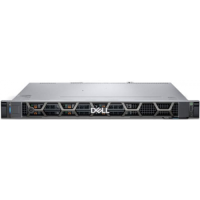
ลด11%
เครื่องปริ้น Printer Dell เดล
:
 MODERNSAVE
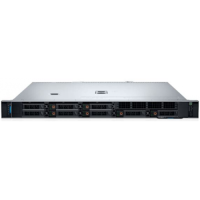
ลด11%
เครื่องปริ้น Printer Dell เดล
:
MODERNSAVE
ลด11%
เครื่องปริ้น Printer Dell เดล
:
MODERNSAVE
ลด11%
เครื่องปริ้น Printer Dell เดล
:
MODERNSAVE
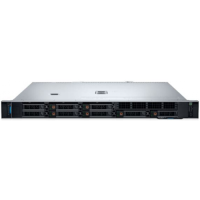
ลด11%
เครื่องปริ้น Printer Dell เดล
:
MODERNSAVE
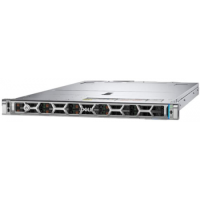
ลด11%
เครื่องปริ้น Printer Dell เดล
:
MODERNSAVE
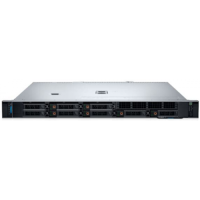
ลด11%
เครื่องปริ้น Printer Dell เดล
:
MODERNSAVE
มาปุ้บ บอกปั้บ กับ
Priceza Rewards

มาปุ้บ บอกปั้บ กับ
Priceza Rewards



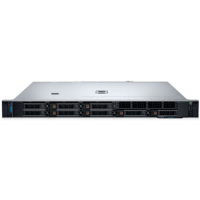
ลด11%
เครื่องปริ้น Printer Dell เดล
:
MODERNSAVE
ลด11%
เครื่องปริ้น Printer Dell เดล
:
MODERNSAVE
เครื่องมือช่าง
:
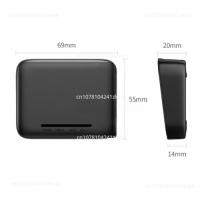
ร้าน ศรีสยามแมชชีน (Sri Siam Machin: Product parameters Brand: UGREEN Name: USB network print sharing server Model: CM428 Shell: PC+ABS Chip: SMT-HLK-7628N Power adapter: 5V/1A . USB interface: USB2.0 Network port: wired network 10M/100M adaptive Printing protocol: TCP/IPRAW Package size: 178.5*103.5*43mm Product net weight: 35.8g . Weight with package: 174.2g Network print sharing server, shared by multiple computers Strong compatibility, multi-system driver-free Wireless shared printing and convenient office After connecting to the print sharing server, all computers in the office can share a printer PS: The device is on the same network segment, and up to 252 computers can connect to the product wirelessly Compatible with 98% of commonly used printers, widely compatible with printers without network ports on the market: laser printer Inkjet Printers Dot matrix printer receipt printer digital composite machine ISBN printer Compatible printer models: HP, Canon, Epson, Brother, Sharp, Fuji Xerox, Lenovo, Aurora, Samsung, Konica Minolta, Deli, Toshiba, Kyocera, Zebra and OKI can basically support it. Steps: Two distribution network modes using the product's internal LAN a. Use wired distribution network (connect the computer and print server with a network cable) The computer is directly connected to the USB shared print server with a network cable, and the network connection of the computer is manually connected to the The address is set to 192.168.15.xxx (xxx is any value from 2-253) Subnet Mask: 255.255.255.0, Gateway: 192.168.15.1 At this point you can directly add a network printer The network printer address is 192.168.15.1 b. Use wireless distribution network (connect the computer and print server with WIFI) Connect the computer to the AP of the USB shared print server The name is PM-UGREEN-XXX, (XXXX is the last 4 digits of the Mac address) The initial login password is 8888888, which can be modified later on the management page At this time, the network printer address is 192.168.16.1 PS: The connection method of the two distribution network modes using the router's external network is more complicated, please check the manual Please place your order according to the title description, and we will arrange for our staff to contact you as soon as possible. We guarantee that the items you purchase are correct and error free. We hope you have a good shopping experience. Thank you!
฿5,986
 Shopee
จังหวัดชลบุรี

ลด49%
อื่นๆในหมวด Printer
:
ร้าน MeetMeInItaly
 LAZADA
5.0
(5)
ต่างประเทศ

ลด49%
อื่นๆในหมวด Printer
:
ร้าน MeetMeInItaly
LAZADA
5.0
(5)
ต่างประเทศ

ลด52%
อื่นๆในหมวด Printer
:
ร้าน Attracter
LAZADA
5.0
(10)
ขายเเล้ว 1
ต่างประเทศ

ลด71%
ร้าน ZJP MALL
LAZADA
ขายเเล้ว 1
ต่างประเทศ

ลด42%
ร้าน Teana Sound mall
LAZADA
4.0
(4)
ขายเเล้ว 1
ในประเทศ
Network Component อื่นๆ
:
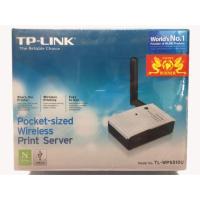
ร้าน Winner Accessory: สามารถใช้งานกับเครื่องพิมพ์ในท้องตลาดได้สูงที่สุดในท้องตลอด แบ่งปันการพิมพ์แบบไร้สายความเร็วสูงถึง 150Mbps เพิ่มการเชื่อมต่ออินเตอร์เน็ตความเร็วสูงที่เครื่องพิมพ์ ผ่านพอร์ต USB 2.0 การเข้ารหัสลับการสนับสนุน การเข้ารหัสแบบ64/128 บิต WEP และการรักษาความปลอดภัย WPA/WPA2-PSK
฿1,815
Shopee
จังหวัดเชียงใหม่

ลด67%
เครื่องปริ้น Printer
:
ร้าน Soda sports &outdoors
LAZADA
ขายเเล้ว 1
ต่างประเทศ

ร้าน Alpha2567
฿1,600
LAZADA
5.0
(2)
ขายเเล้ว 1
ในประเทศ

ร้าน Alpha2567
฿1,500
LAZADA
5.0
(11)
ขายเเล้ว 1
ในประเทศ

ลด67%
เครื่องปริ้น Printer
:
ร้าน ETLOVE
LAZADA
ขายเเล้ว 1
ต่างประเทศ

ร้าน Alpha2567
฿1,350
LAZADA
ขายเเล้ว 1
ในประเทศ

Network Component อื่นๆ
:
ร้าน ALPHA_EXPERT: Single USB2.0 Port Fast Ethernet Print Server Wavlink USB 2.0 ( Model: WN-NU72P11 , WN-NU78M41 รุ่นเดียวกัน ) สามารถใช้งานร่วมกับเครื่องปริ้นท์เตอร์มากกว่า 320 รุ่นที่มีในท้องตลาด รองรับการทำงานแบบ หลายโปรโตคอลและ หลายระบบปฎิบัติการ งานในการติดตั้งในแทบทุกสภาพแวดล้อมโครงข่าย ส่วนประมวลผลที่มีประสิทธิภาพสูงและมี USB 2.0 ให้กระบวนการสั่งงานเป็นไปได้รวดเร็วกว่า การติดตั้งและการจัดการที่เรียบง่าย และง่ายมากในการทำงาน มีความกระทัดรัดและการออกแบบให้มีความสามารถสูง สามารถตั้งวางได้แทบทุกที่ Features: Share 1 USB devices through your home or office network Wirelessly share your USB Devices(Printer,Webcam,Scanner,USB Storage,Speaker and more) through your wireless router. Share an external hard drive, flash drive or memory card reader with multiple users over your network Share a USB webcam over a network Enjoy music stored on any networked PC with a USB speaker Allows multiple users to share a Multi-Function Printer (MFP) over a network to print, scan, and fax from any networked computer Supported protocols:, LPR/LPD, DHCP, UPnP Supports USB 2.0 and 1.1 devices Supports Windows XP/Vista/7/8/8.1/10/11 --100Mbps Super Fast Speed Web Management - Flexible Placement The built-in web management feature provides more convenience by allowing the user to configure, monitor and even reset the print server via a web browser. Save Space & Save Time The printer server saves space and eliminates desks with multiple USB devices in the home or office. In addition, the Print Server allows you to print from any computer on the network, saving the cost of the printer or the trouble of manually sharing the printers of multiple computers. The Print Server is a very convenient tool which shares your USB printer with multiple computers. Easy Installation You simply use a USB cable to connect the print server to your printer’s USB port, then using an RJ-45 networking cable to connect it to the rest of your network.
฿990
Shopee
5.0
(44)
ขายเเล้ว 1
จังหวัดสุรินทร์

Network Component อื่นๆ
:
ร้าน Geek DIY Auto Sound: Print Server ( ปริ้นเซิร์ฟเวอร์ ) Wavlink USB 2.0 LRP Print Server Share a LAN Ethernet Networking Printers ซื้อมาไม่ได้ใช้งาน ขายเป็นสินค้ามือสองครับ Print Server ( ปริ้นเซิร์ฟเวอร์ ) Wavlink USB 2.0 LRP Print Server Share a LAN Ethernet Networking Printers Wavlink USB ปรินท์เซิฟเวอร์เครือข่าย2.0แชร์เครื่องพิมพ์ USB ผ่าน LAN! คำอธิบาย: เซิร์ฟเวอร์2.0 USB เครือข่ายขนาดฝ่ามือใหม่ของ Wavlink ช่วยให้สามารถเครื่องพิมพ์ USB ใดๆเข้ากับเครื่องพริ้นท์กระดาษไร้สายแบบมีสายเพื่อให้ผู้ใช้คอมพิวเตอร์ทุกคนสามารถเข้าถึงเครื่องพิมพ์บนเครือข่ายได้ มันสอดคล้องกับข้อกำหนด USB 2.0 (ย้อนหลังเข้ากันได้กับสเปค USB 1.1) และให้ผู้ใช้มีระบบพอร์ตอิเทอร์เน็ตตรวจจับอัตโนมัติที่ทำงานร่วมกับ10Base-T หรือเครือข่าย100Base-T ใช้งานง่าย: ① เชื่อมต่ออะแดปเตอร์ ② เชื่อมต่อเครื่องพิมพ์ด้วยสาย USB-A (ไม่รวม) ③ เชื่อมต่อเครือข่ายด้วยสายเคเบิลอีเทอร์เน็ต (รวม) ④ ติดตั้งไดรเวอร์เครื่องพิมพ์และทำตามคู่มือในการกำหนดค่าการตั้งค่าเครื่องพิมพ์และเครือข่ายจากนั้นคุณสามารถพิมพ์จากคอมพิวเตอร์เครื่องใดก็ได้บนเครือข่าย พิมพ์ผ่าน LAN: เชื่อมต่อเครื่องพิมพ์แบบ USB เดียวกับ LAN และแชร์ระหว่างคอมพิวเตอร์ทุกเครื่องบนเครือข่าย การกำหนดค่าง่าย: การกำหนดค่าง่ายด้วย GUI บนเว็บที่ใช้งานง่าย (ส่วนติดต่อผู้ใช้กราฟิก)
฿750
Shopee
จังหวัดอุดรธานี
ร้านค้าแนะนำ
อื่นๆในหมวด Printer Ugreen
:
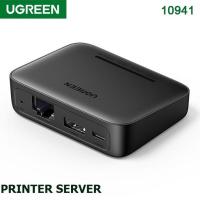
ร้าน topwifi2019: UGREEN CM428 External USB Network Print Server For Printer, Supports Raw Protocol, Adapter, RJ45, USB Type-A, Micro USB Type-B Ports, High-quality, Reliable And Convenient, Black | 10941 Nowadays, a printer is an indispensable device that should be present in every home or office. Printers and MFPs often have a network module that allows multiple devices to be connected to them at once without the need for a USB cable. The problem appears when our printer does not have a network module, and we have to use it on several devices. In this situation, an accessory from the well-known and respected brand Ugreen comes to the rescue! Thanks to the external network card for the printer, you will be able to print from multiple devices without unnecessary connecting cables. UGREEN USB NETWORK PRINT SERVER: (1). USB Network Print Server helps you quickly turn your USB printer into a network printer when you choose our print server to connect with your USB printer. (2) USB Network Print Server supports your USB printer to be shared with multiple users simultaneously over a LAN network. (3) USB 2.0 Print Server allows you to send the print jobs to your USB printer via your Android smartphone and computer wirelessly. (4) After connecting with our network USB print server with your USB printer, you can print files in the format of image, PDF, PPT, Excel, Word via your Android smartphone and computer wirelessly. A Quick-Start of Network USB Print Server: |Step 1|: Please download “Print Server Config Tool” from our business site on your Windows computer.| Step 2|: Please connect the Print Server with Your Windows computer via USB cable.| Step 3|: Please assign a fixed IP address for the USB Print Server via “Print Server Config Tool” on a Windows computer first.| Step 4|: Add the IP address and USB port information of the print server into your target USB printer in your computer. Then you can explore the excellent printing experience via the Print Server.| Step 5|: Download and install APP “PrinterShare” or “PrintHand” into your Android Smartphone and follow the manual user to setup, then you can send print jobs to your USB printer wirelessly in LAN. FEATURE: (1) To use this print server, the printer must support the RAW protocol. (2) Supports printer models with the RAW protocol of brands HP, Canon, Epson, Brother, Yingpu, Adams Xerox, Lenovo, Qidan, Sanqi, Konica Minolta, Deli, Toshiba, Kyocera, Zebra, etc. (3) Printers Canon LBP2900, 2900+, 3000 – HP P1008, M403D, Epson 1390 are not supported… (because these models do not support RAW protocol).
฿2,290
Shopee
4.5
(13)
ขายเเล้ว 4
จังหวัดปทุมธานี
ตัวกรองสินค้า
ยี่ห้อ
Ugreen
(2)
D-Link ดีลิงค์
(1)
หมวดหมู่
Network Component อื่นๆ
(53)
อื่นๆในหมวด Printer
(13)
เครื่องปริ้น Printer
(11)
อื่นๆในหมวดอุปกรณ์คอมพิวเตอร์
(1)
เครื่องมือช่าง
(1)
ไม่ระบุ
(14)
