เสร็จสิ้น จัดเรียงตาม
อุปกรณ์แท็บเล็ตพีซี
:
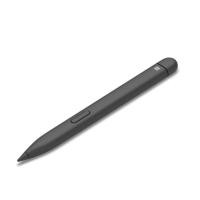
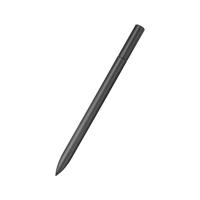
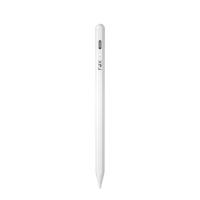
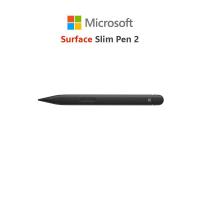
ร้าน D-KAN Online: ***โปรดอ่านก่อนสั่งซื้อ*** ออกใบกำกับภาษี พิมพ์ข้อมูลและรายละเอียดในช่องหมายเหตุก่อนสั่งซื้อเท่านั้น!! ไม่รับแจ้งผ่านแชทข้อความ และไม่สามารถแก้ไขใบกำกับภาษีย้อนหลังได้!! ขั้นตอนการกรอกอยู่ที่รูปสุดท้ายของสินค้านะคะ *ไม่รวม Slim Pen Charger/not include Slim Pen Charger Tech specs CompatibilitySurface Laptop Studio Surface Pro 3 - Surface Pro 11 Surface Pro X Surface Duo, Surface Duo 2 Surface Go, Go 2, Surface Go 3 Surface Hub 2S Surface Laptop 1 - 4 Surface Studio 1, 2 Surface Book 1 - 3 Non-Surface devices that support Microsoft Pen Protocol (MPP) Remark **1-3 **[1] Surface Slim Pen 2 tilt functionality is available with Surface Laptop Studio, Surface Pro 3-Surface Pro 8 Surface Pro X; Surface Go 1-Surface Go 3; Surface Laptop 1-4 Surface Studio 1,2; Surface Book 1-3. Additional compatibility details can be found at aka.ms/SurfaceSlimPenCompatibility **[2] Pairing functionality requires Windows 10, Windows 11, or Android with the latest updates. **[3] Zero force inking will only work when Surface Slim Pen 2 is used with Surface Pro 8, Surface Pro X, Surface Laptop Studio, and Surface Duo 2. Additional compatibility details can be found at aka.ms/SurfaceSlimPenCompatibility ConnectionBluetooth® Wireless 5.0 Technology ButtonsSide button, Top Button with eraser functionality Tactile signalsHaptic feedback functionality compatible only with Surface Laptop Studio4 and Surface Pro 84 with Windows 11 Color and materialMatte Black Plastic Enclosure Pressure and sensitivity4,096 pressure levels Zero force inking3 BatteryRechargeable Lithium Ion Up to 15 hours of typical usage6 Battery capacitiesBattery Capacity Nominal (WH): 0.171 Battery Capacity Min (WH): 0.164 Storage and charging (Sold separately)Surface Slim Pen 2 storage and charging in Surface Pro Signature Keyboard , Surface Laptop Studio, and Surface Duo 2 Pen Cover Surface Slim Pen Charger Surface Slim Pen 1 USB-C Charging Base5 What’s in the boxSurface Slim Pen 2 Quick Start Guide Safety and Warranty documents Dimensions5.38” x 0.44” x 0.25” (136.8 x 11.3 x 6.3 mm) Weight0.03 lb (13 g) Warranty71 year limited warranty
฿3,890 - ฿5,090
เปรียบเทียบราคา
(4)
จาก Shopee, Microsoft Store และอื่นๆ
ร้านค้าแนะนำ
คูปองส่วนลดจากร้านค้า
ลดกระหน่ำ 50% ทั้งวัน สินค้า 500.- ราคาเดียว ส่งฟรี* ขั้นต่ำ 0.-
ใช้ได้ถึง 07-05-2026
อุปกรณ์แท็บเล็ตพีซี
:
ร้าน D-KAN Online: ***โปรดอ่านก่อนสั่งซื้อ*** ออกใบกำกับภาษี พิมพ์ข้อมูลและรายละเอียดในช่องหมายเหตุก่อนสั่งซื้อเท่านั้น!! ไม่รับแจ้งผ่านแชทข้อความ และไม่สามารถแก้ไขใบกำกับภาษีย้อนหลังได้!! ขั้นตอนการกรอกอยู่ที่รูปสุดท้ายของสินค้านะคะ *ไม่รวม Slim Pen Charger/not include Slim Pen Charger Tech specs CompatibilitySurface Laptop Studio Surface Pro 3 - Surface Pro 11 Surface Pro X Surface Duo, Surface Duo 2 Surface Go, Go 2, Surface Go 3 Surface Hub 2S Surface Laptop 1 - 4 Surface Studio 1, 2 Surface Book 1 - 3 Non-Surface devices that support Microsoft Pen Protocol (MPP) Remark **1-3 **[1] Surface Slim Pen 2 tilt functionality is available with Surface Laptop Studio, Surface Pro 3-Surface Pro 8 Surface Pro X; Surface Go 1-Surface Go 3; Surface Laptop 1-4 Surface Studio 1,2; Surface Book 1-3. Additional compatibility details can be found at aka.ms/SurfaceSlimPenCompatibility **[2] Pairing functionality requires Windows 10, Windows 11, or Android with the latest updates. **[3] Zero force inking will only work when Surface Slim Pen 2 is used with Surface Pro 8, Surface Pro X, Surface Laptop Studio, and Surface Duo 2. Additional compatibility details can be found at aka.ms/SurfaceSlimPenCompatibility ConnectionBluetooth® Wireless 5.0 Technology ButtonsSide button, Top Button with eraser functionality Tactile signalsHaptic feedback functionality compatible only with Surface Laptop Studio4 and Surface Pro 84 with Windows 11 Color and materialMatte Black Plastic Enclosure Pressure and sensitivity4,096 pressure levels Zero force inking3 BatteryRechargeable Lithium Ion Up to 15 hours of typical usage6 Battery capacitiesBattery Capacity Nominal (WH): 0.171 Battery Capacity Min (WH): 0.164 Storage and charging (Sold separately)Surface Slim Pen 2 storage and charging in Surface Pro Signature Keyboard , Surface Laptop Studio, and Surface Duo 2 Pen Cover Surface Slim Pen Charger Surface Slim Pen 1 USB-C Charging Base5 What’s in the boxSurface Slim Pen 2 Quick Start Guide Safety and Warranty documents Dimensions5.38” x 0.44” x 0.25” (136.8 x 11.3 x 6.3 mm) Weight0.03 lb (13 g) Warranty71 year limited warranty
4.9
(89)
ขายเเล้ว 2
จังหวัดกรุงเทพมหานคร
อุปกรณ์แท็บเล็ตพีซี
:
ร้าน 1032kudstshop th
฿320
อุปกรณ์แท็บเล็ตพีซี
:
ร้าน kutga th
฿9.00
อุปกรณ์แท็บเล็ตพีซี
:
ร้าน ukcxks th
฿7.00
อุปกรณ์แท็บเล็ตพีซี
:
ร้าน ukcxks th
฿7.00
อุปกรณ์แท็บเล็ตพีซี
:
ร้าน Sophie th
฿9.00
4.8
มาปุ้บ บอกปั้บ กับ
Priceza Rewards

มาปุ้บ บอกปั้บ กับ
Priceza Rewards
อุปกรณ์แท็บเล็ตพีซี Momax
:
ปากกาสไตลัสแม่เหล็ก Momax Mag.Link Pop เขียนลื่นไหล แม่นยำ ติดแน่นกับ iPad ด้วยแม่เหล็ก รองรับการเอียงและแรงกด พร้อมหัวสำรองในกล่อง ใช้งานสะดวก พกพาง่าย
฿890
กรุงเทพมหานคร
อุปกรณ์แท็บเล็ตพีซี Momax
:
ปากกาสไตลัสแม่เหล็ก Momax Mag.Link Pop เขียนลื่นไหล แม่นยำ ติดแน่นกับ iPad ด้วยแม่เหล็ก รองรับการเอียงและแรงกด พร้อมหัวสำรองในกล่อง ใช้งานสะดวก พกพาง่าย
฿890
กรุงเทพมหานคร
ปากกาสไตลัส HOCO GM114 สำหรับ IPAD ปี 2018 ขึ้นไป แบตเตอรี่ 14 ชั่วโมง
อุปกรณ์แท็บเล็ตพีซี Momax
:
ปากกาสไตลัสแม่เหล็ก Momax Mag.Link Pop เขียนลื่นไหล แม่นยำ ติดแน่นกับ iPad ด้วยแม่เหล็ก รองรับการเอียงและแรงกด พร้อมหัวสำรองในกล่อง ใช้งานสะดวก พกพาง่าย
฿890
กรุงเทพมหานคร
อุปกรณ์แท็บเล็ตพีซี Momax
:
ปากกาสไตลัสแม่เหล็ก Momax Mag.Link Pop เขียนลื่นไหล แม่นยำ ติดแน่นกับ iPad ด้วยแม่เหล็ก รองรับการเอียงและแรงกด พร้อมหัวสำรองในกล่อง ใช้งานสะดวก พกพาง่าย
฿890
กรุงเทพมหานคร
อุปกรณ์แท็บเล็ตพีซี Momax
:
ปากกาสไตลัสแม่เหล็ก Momax Mag.Link Pop เขียนลื่นไหล แม่นยำ ติดแน่นกับ iPad ด้วยแม่เหล็ก รองรับการเอียงและแรงกด พร้อมหัวสำรองในกล่อง ใช้งานสะดวก พกพาง่าย
฿890
กรุงเทพมหานคร
ร้านค้าแนะนำ
อุปกรณ์แท็บเล็ตพีซี
:
ร้าน ipadcase Boutique Shop
฿69
4.7
ขายเเล้ว 63
อุปกรณ์แท็บเล็ตพีซี
:
ร้าน cucushop th
฿39
5.0
ร้านค้าทางการ
อุปกรณ์แท็บเล็ตพีซี
:
ร้าน Ecily ใน LazMall
4.7
(39)
ขายเเล้ว 1
ต่างประเทศ
ร้านค้าทางการ
อุปกรณ์แท็บเล็ตพีซี
:
ร้าน Ecily ใน LazMall
4.8
(41)
ขายเเล้ว 2
ต่างประเทศ
ร้านค้าทางการ
อุปกรณ์แท็บเล็ตพีซี
:
ร้าน GUUGEI ใน LazMall
5.0
(81)
ขายเเล้ว 1
ต่างประเทศ
ร้านค้าทางการ
อุปกรณ์แท็บเล็ตพีซี
:
ร้าน GUUGEI ใน LazMall
5.0
(81)
ขายเเล้ว 1
ต่างประเทศ
ร้านค้าแนะนำ
อุปกรณ์แท็บเล็ตพีซี
:
ร้าน Warm Station
฿25
4.8
ขายเเล้ว 11
ร้านค้าทางการ
อุปกรณ์แท็บเล็ตพีซี
:
ร้าน Ecily ใน LazMall
4.8
(41)
ขายเเล้ว 1
ต่างประเทศ
ร้านค้าทางการ
อุปกรณ์แท็บเล็ตพีซี
:
ร้าน GUUGEI ใน LazMall
5.0
(81)
ขายเเล้ว 2
ต่างประเทศ
ร้านค้าทางการ
อุปกรณ์แท็บเล็ตพีซี
:
ร้าน Ecily ใน LazMall
4.8
(41)
ขายเเล้ว 1
ต่างประเทศ
อุปกรณ์แท็บเล็ตพีซี
:
ร้าน cucushop th
฿36
ตัวกรองสินค้า
ยี่ห้อ
Adonit
(54)
Momax
(20)
Ugreen
(18)
Wiwu
(12)
Logitech โลจิเทค
(11)
Acer เอเซอร์
(9)
Elecom
(9)
Remax รีแมกซ์
(9)
LINE Friends ไลน์เฟรนด์
(5)
OEM โออีเอ็ม
(5)
ดูยี่ห้ออื่นเพิ่มเติม
หมวดหมู่
อุปกรณ์แท็บเล็ตพีซี
(12,847)
อุปกรณ์คอมพิวเตอร์อื่นๆ
(224)
เคสโทรศัพท์
(200)
อุปกรณ์เสริมโทรศัพท์และอุปกรณ์สื่อสารอื่นๆ
(91)
ปากกา
(61)
เครื่องคิดเลข
(32)
เคส กระเป๋า ซองแท็บเล็ตพีซี
(24)
สินค้าราคาพิเศษ
(24)
สินค้าอื่นๆ
(21)
วัสดุ และอุปกรณ์งานประดิษฐ์อื่นๆ
(20)
ดูหมวดอื่นเพิ่มเติม
รุ่นย่อย
Galaxy กาแล็กซี่
(2)
2DS 2ดีเอส
(1)
ATIV เอทีไอวี
(1)
Gpad จีแพด
(1)
ThinkPad ติงแพด
(1)
XPS เอ็กซ์พีเอส
(1)